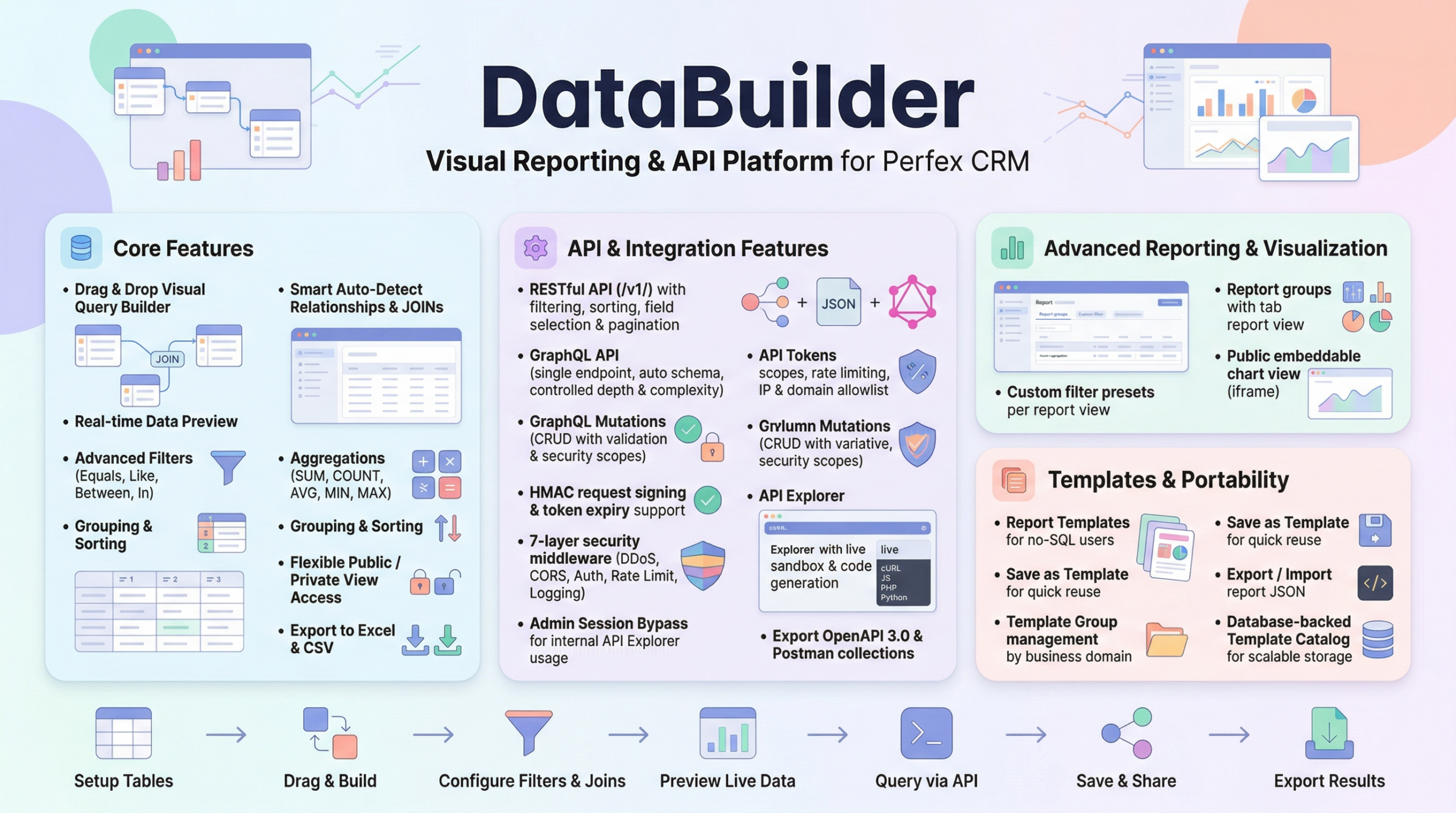
Build advanced cross-module reports inside Perfex CRM without writing SQL. Combine data, apply filters, and generate structured views through intuitive visual builder. Gain clearer operational insight while keeping full control over data access and permissions.
…Demo of DataBuilder features:
Site: https://databuilder.polyxgo.com/admin
Video Demo for DataBuilder
Upload & active module
Steps of Installation
- Extract your downloaded file contens. You will notice a folder called “documentation” and a new zip file, called “databuilder.zip“.
- “databuilder.zip” contains the module files (in a module format) that you upload in Perfex CRM’s Modules installation section.
- Go to your Perfex CRM’s Admin area and select the following menu item: SETUP > MODULES.
- Select the extracted databuilder.zip at Module installation selection prompt and press INSTALL.
- Find the module named Data Builder and click Activate. You will be told that module is successfully activated.
Now you can begin using the module by accessing the menu named Data Builder.
Core Features & How-To Guides
Data Builder for Perfex CRM is a visual query builder and custom report creation module designed to solve data fragmentation across core CRM modules. In standard setups, clients, invoices, projects, and tasks exist in separate tables, making cross-module reporting complex. This module enables administrators and staff to combine data sources, define relationships, apply filters, and generate structured views without manual SQL queries.
It is particularly useful for teams that require flexible internal reporting, operational dashboards, or custom data views tailored to specific workflows.
Visual Query Design & Usabilit
Data Builder provides a structured visual environment for designing queries. Instead of manually writing joins and conditions, users interact with a drag-and-drop canvas supported by real-time preview.
Smart table search helps quickly locate core or third-party module tables. Fields can be renamed using aliases, rearranged visually, or combined into concatenated columns. Live preview ensures immediate feedback, reducing iteration time when building reports.
Relationship & Data Logic Control
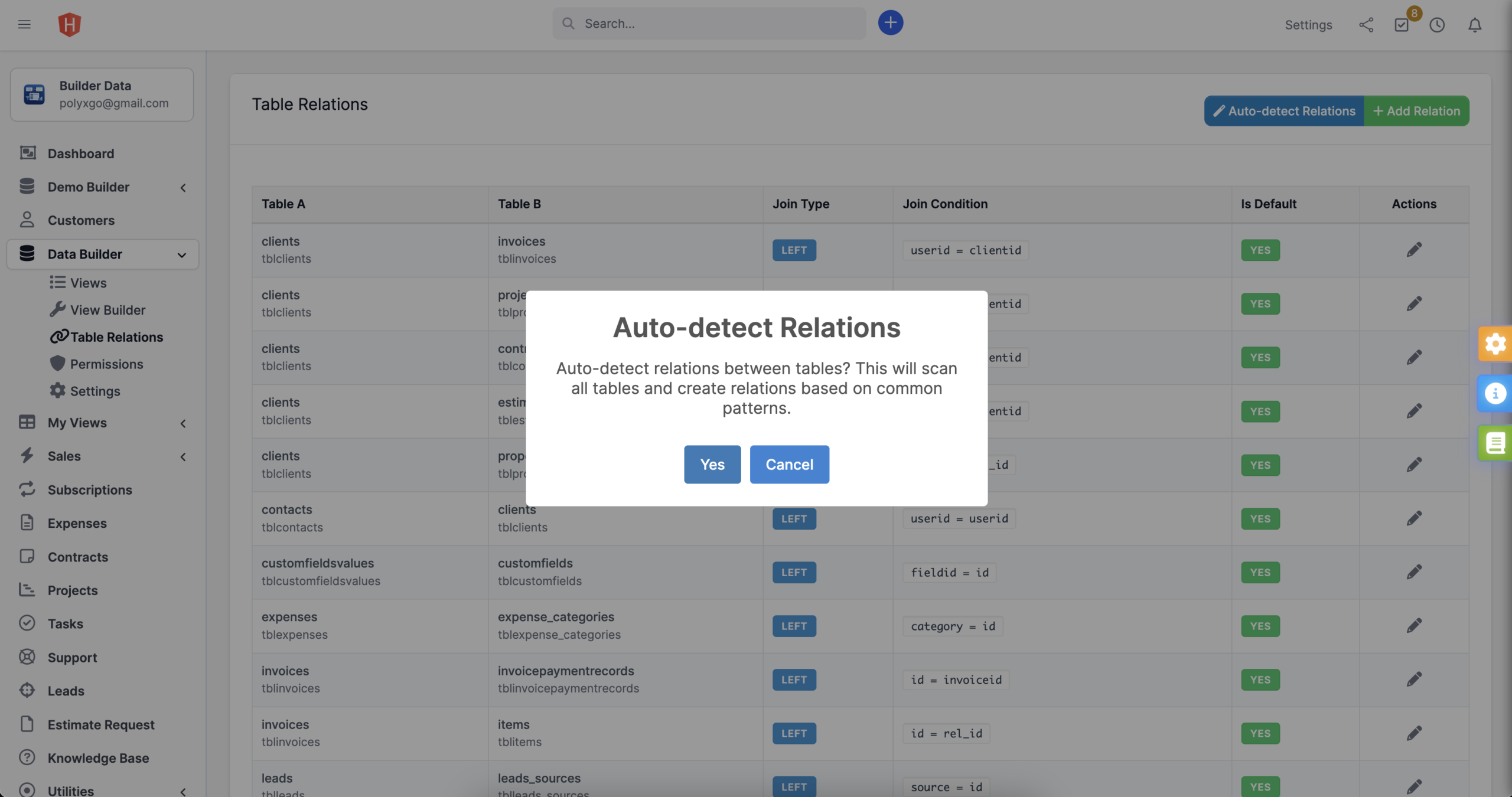
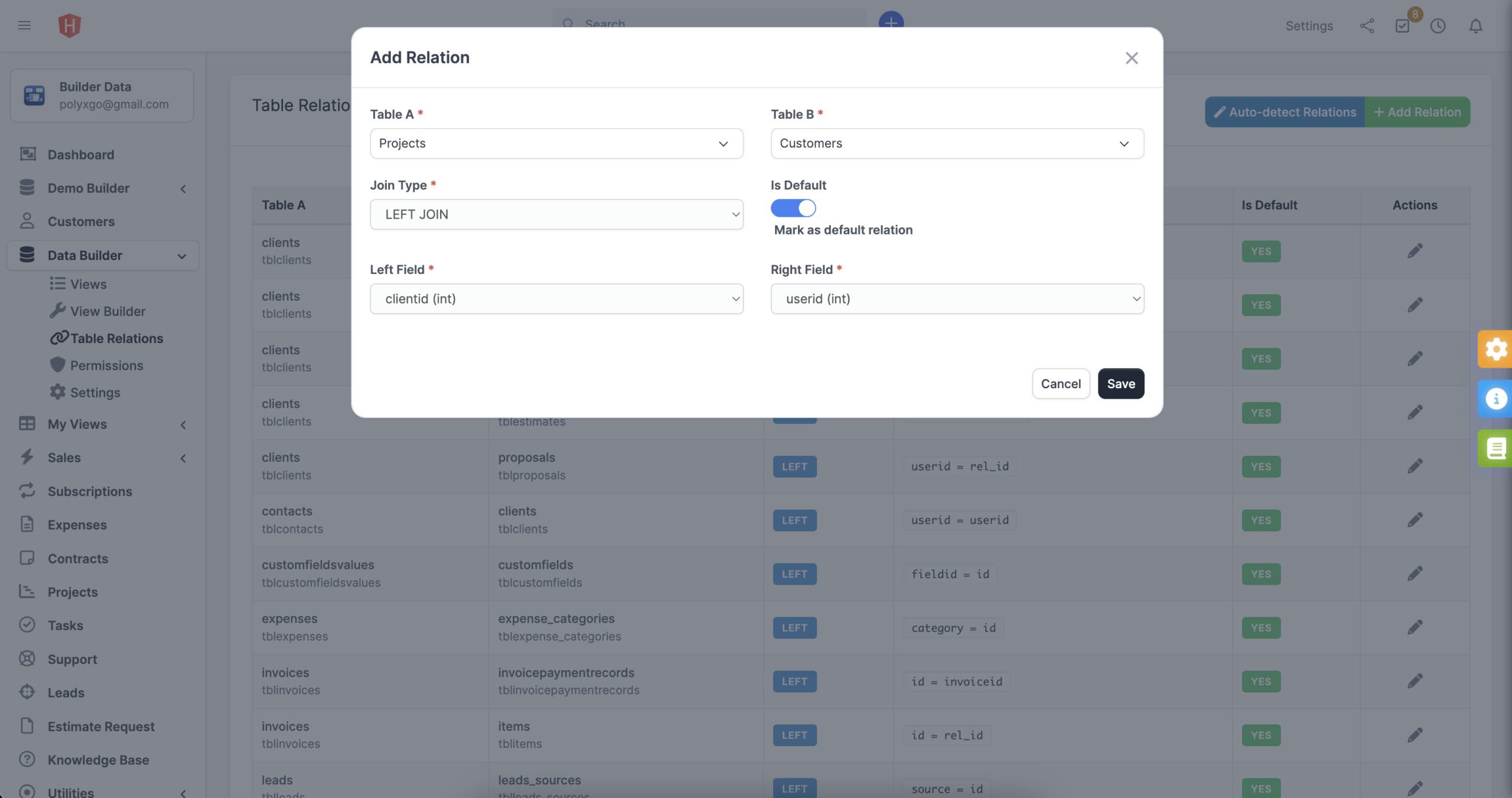
The system includes automatic foreign key detection to suggest logical joins between tables. When needed, administrators can define custom relationships to support advanced use cases.
Multiple join types—including INNER JOIN, LEFT JOIN, and RIGHT JOIN—allow precise control over how data sets interact. Combined with visual filter builders supporting AND/OR logic and aggregation functions such as SUM, COUNT, AVG, MIN, and MAX, users can construct structured analytical views without direct database manipulation.
Runtime Engine & Data Handling
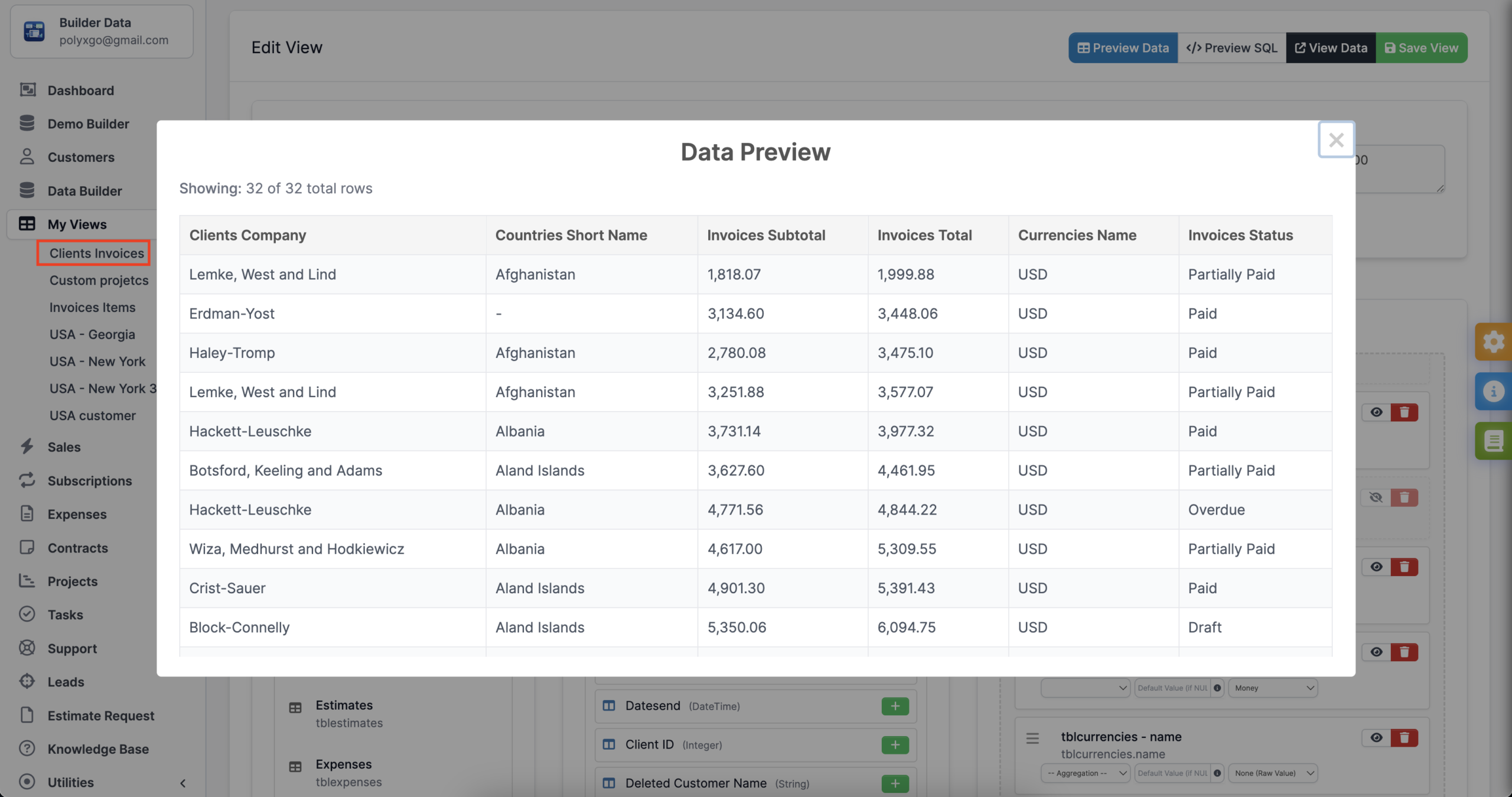
Built on CodeIgniter 3 Query Builder, Data Builder executes queries using structured, secure methods to reduce SQL injection risks. Server-side pagination ensures performance even when handling large data sets.
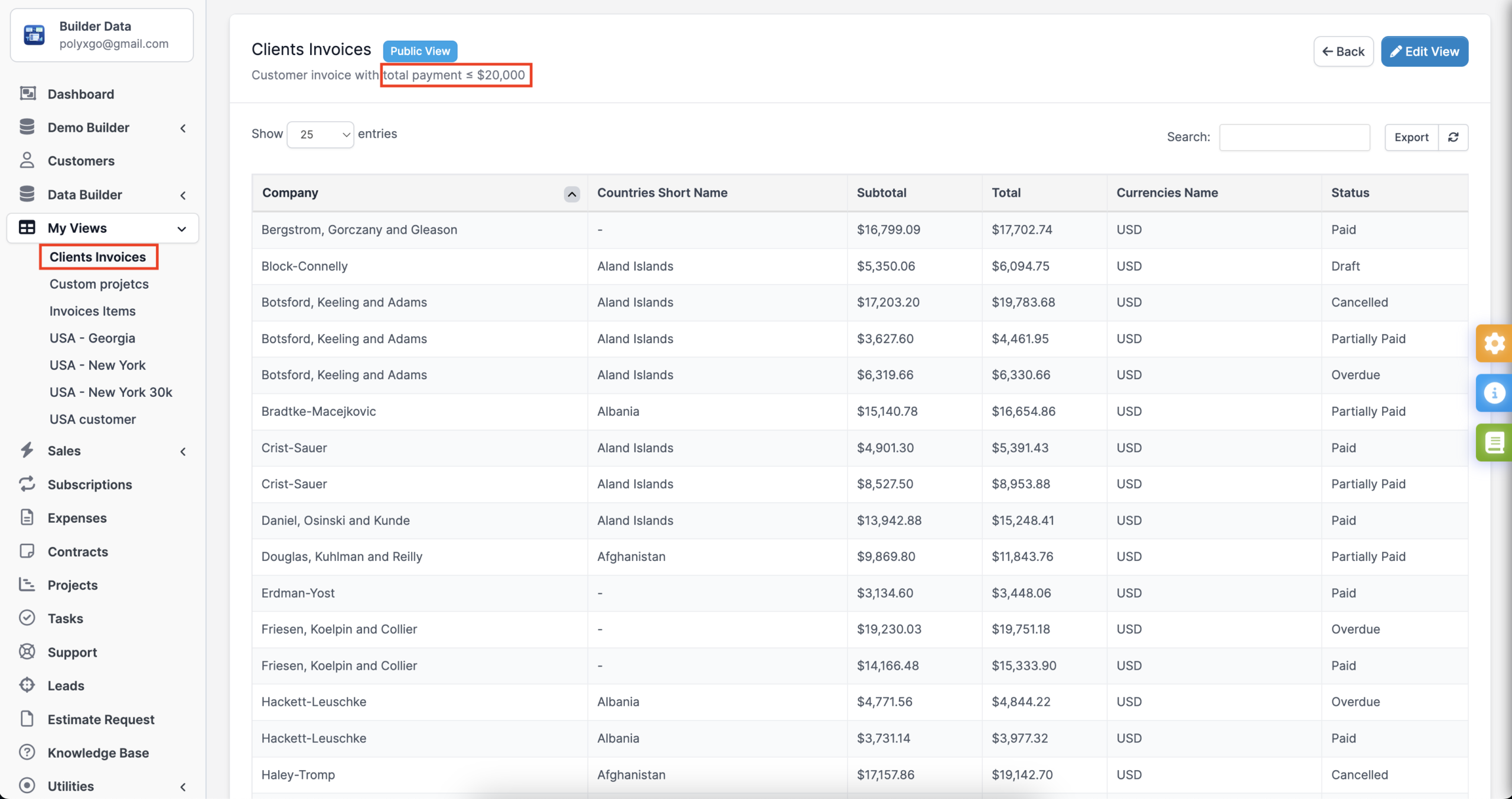
Generated views can be exported to CSV or Excel (XLSX), making it easier to share reports externally or integrate them into other workflows.
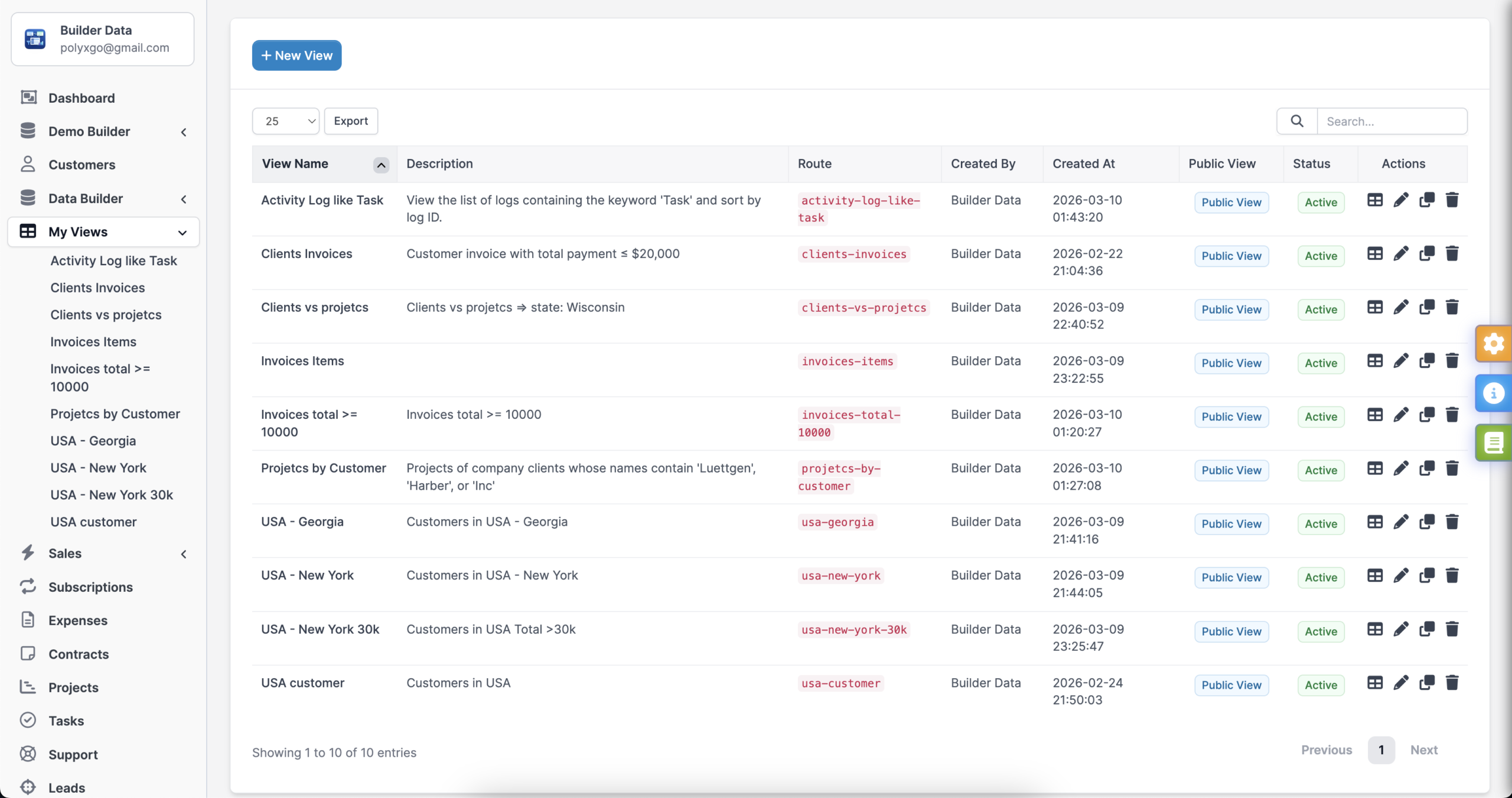
Each saved view is accessible via a dedicated runtime route, allowing consistent and repeatable data access across teams.
Security & Access Management
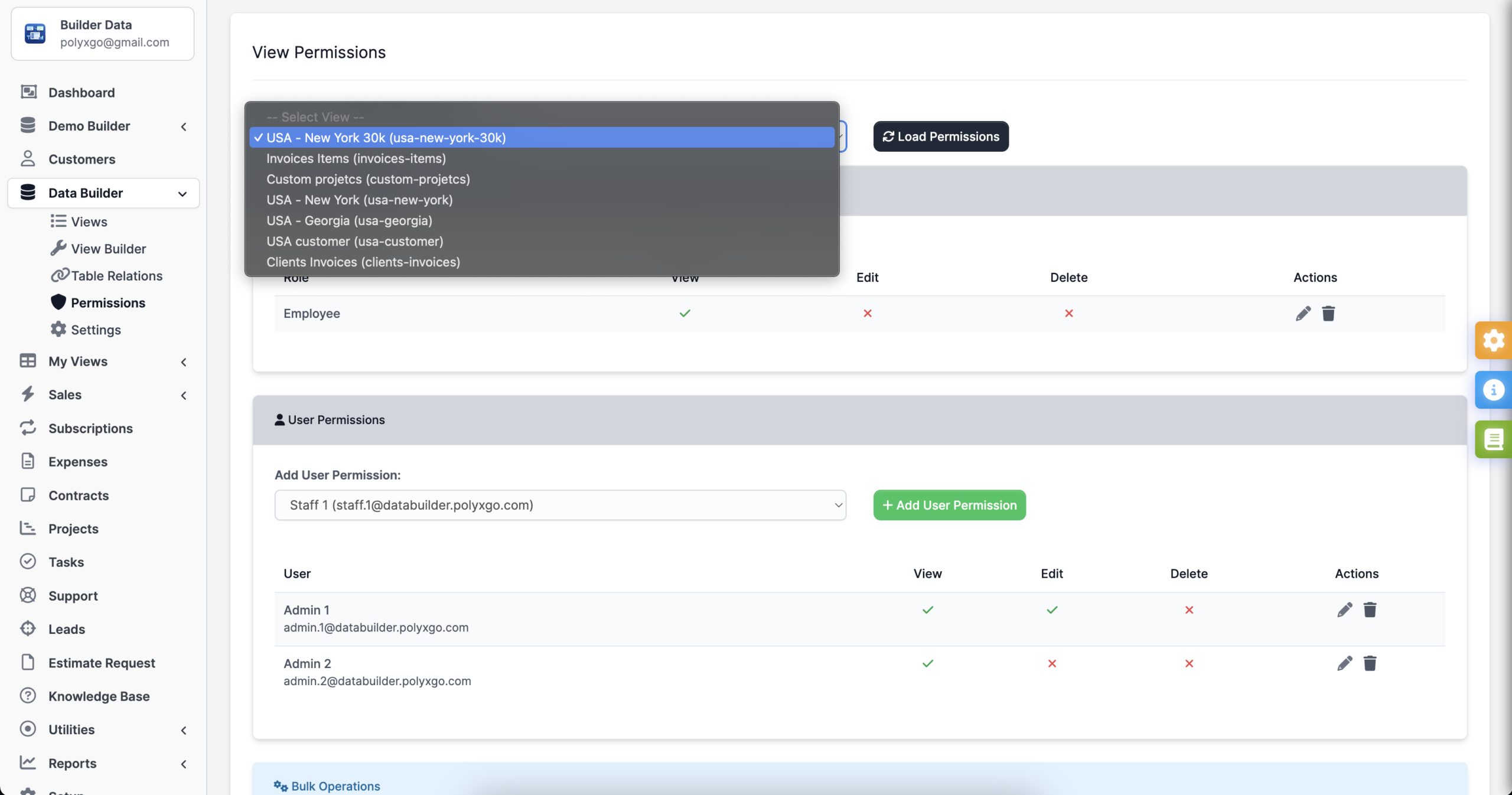
Data access remains controlled through multiple layers. Administrators can define a table whitelist to restrict which database tables are available inside the builder.
Role-based permissions integrate with native Perfex access control, supporting View, Manage, and Export rights. Views can be configured as Public, Private, Shared, or Hybrid, ensuring that sensitive data remains accessible only to authorized users.
Technical Notes
- Requires Perfex CRM version 3.0.0 or higher
- PHP 8.2+
- MySQL 5.7+ with JSON column support
- Compatible with Apache or Nginx
- Backend built on CodeIgniter 3.x
- Frontend built with Vue.js 3 (Options API) and Bootstrap 4
- Uses SortableJS and SweetAlert2 as dependencies
- Provides internal endpoints for schema retrieval, saving configurations, and runtime rendering
Data Builder for Perfex CRM fits teams that need structured, repeatable reporting without extending core database logic manually. It supports operational visibility, reduces dependency on technical staff for report creation, and keeps reporting workflows aligned with existing permission systems inside Perfex.
Documentation & Support
The downloaded package includes a complete installation guide and feature documentation so you can configure DataBuilder quickly.
For assistance, submit a support ticket through the Codecanyon comment section. Our team responds as soon as possible with detailed guidance.
Thank you
Once again, thank you so much for purchasing the Data Builder module for Perfex CRM. We are delighted to assist you with any inquiries related to this module. You can leave your feedback at https://codecanyon.net/user/polyxgo. We will provide support as soon as we receive your information.
Leave a Reply