The Visibility Gap
Your Perfex CRM has every number your leadership team needs — revenue, pipeline, project status, cash flow. But those numbers are locked inside an admin panel that requires login credentials, technical knowledge, and patience.
When your CEO asks “How are we doing this quarter?”, the answer shouldn’t require:
- Logging into the CRM
- Navigating to the right module
- Exporting data to Excel
- Building a presentation
Data should flow to where decisions happen — the boardroom TV, the client portal, the operations dashboard on the wall.
Public Charts: Embed Anywhere
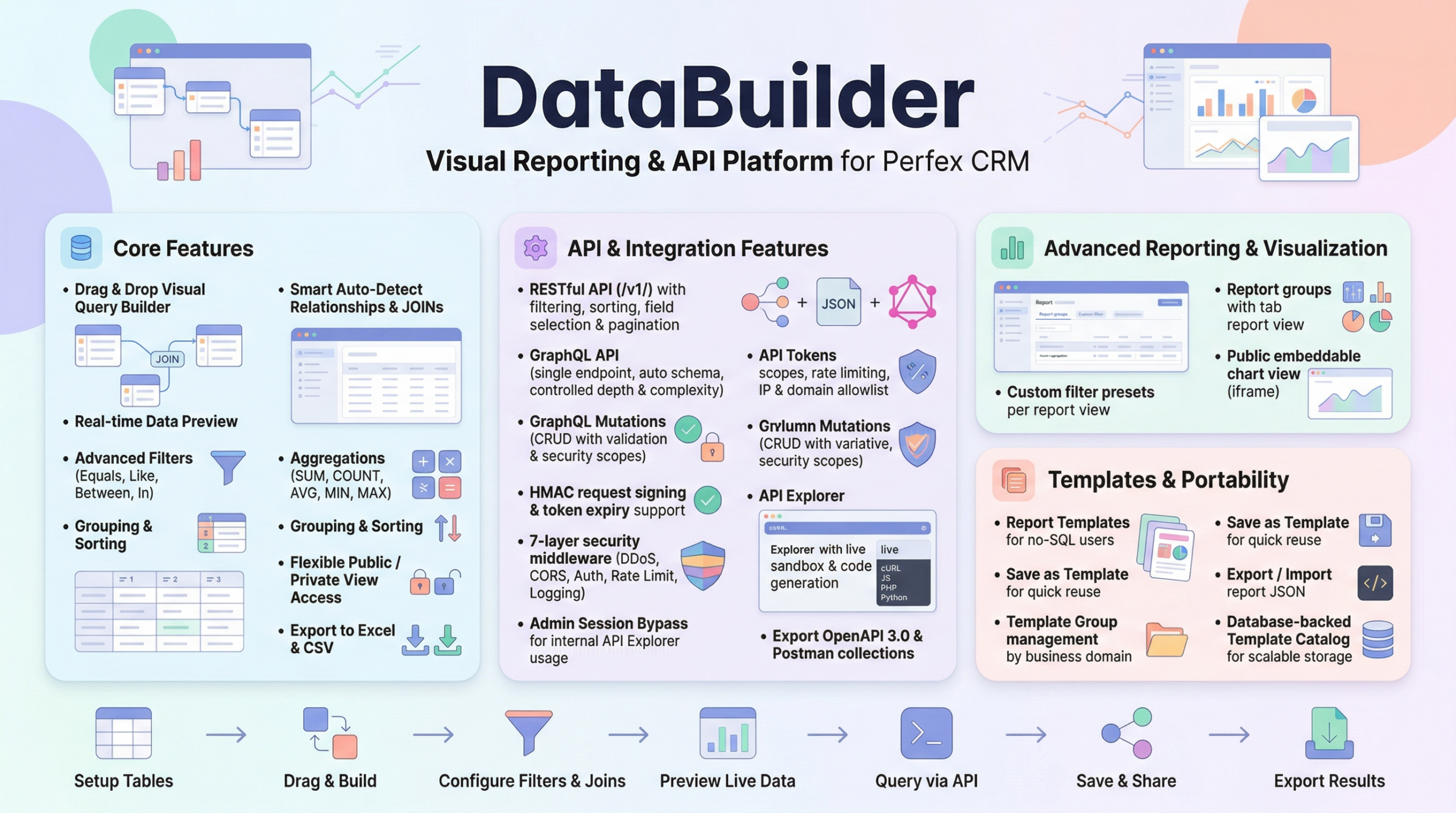
Data Builder lets you create reports and then publish them as embeddable charts — accessible via a public URL, no CRM login required.
How it works:
The chart updates in real-time from your database. No manual refresh. No stale screenshots.
Branded Dashboards
Public charts support customizable headers and footers:
- Add your company logo
- Set custom titles and descriptions
- Brand colors and styling
- Professional presentation for external stakeholders
Your quarterly board report can look like a polished BI dashboard — not an exported table with your CRM’s admin branding.
Flexible Time Periods
Charts support multiple aggregation periods:
- Minute — real-time operations monitoring
- Hourly — daily operations tracking
- Daily — weekly performance reviews
- Monthly — standard business reporting
- Yearly — annual trends and comparisons
Users can toggle between periods directly on the chart — no new report needed.
Report Groups: One View, Multiple Reports
Leadership doesn’t want 10 separate report links. They want a single dashboard with everything.
Report Groups organize related reports into tabbed navigation:
- Finance Tab: Revenue, Outstanding Invoices, Cash Flow
- Sales Tab: Pipeline, Conversion Rates, Agent Performance
- Operations Tab: Project Status, Task Completion, Staff Productivity
One URL. Multiple reports. Tab between them like a professional BI tool.
12 Pre-Built Dashboard Presets
Get started immediately with pre-built report configurations:
| # | Preset | Use Case |
|---|---|---|
| 1 | Daily Invoice Payment Records | Daily finance monitoring |
| 2 | Top Paying Clients Dashboard | Client value analysis |
| 3 | Sales Agent Revenue Performance | Sales team KPIs |
| 4 | Outstanding Invoice Tracker | Accounts receivable management |
| 5 | Project Profitability Report | Project financial health |
| 6 | Executive KPI Dashboard | C-level overview |
| 7 | Client Payment Behavior Analysis | Cash flow prediction |
| 8 | Staff Productivity Board | HR/operations metrics |
| 9 | Finance + Cashflow Dashboard | CFO dashboard |
| 10 | Webhook Event Monitoring | Technical operations |
| 11 | Daily Sales by Invoice Item | Product-level sales |
| 12 | Quarterly Sales Reports | Q1-Q4 comparisons |
Each preset is customizable — use as-is or modify to match your business needs.
Controlled Access
Public doesn’t mean unsecured:
- View Scopes: Control exactly who sees each dashboard
- Shared + Hybrid logic: Grant access by role or individual user
- API token restrictions: Embedded dashboards respect token permissions
- No sensitive data exposure: Sensitive columns are automatically excluded
Data Where Decisions Happen
Stop printing reports. Stop emailing Excel files. Stop asking people to log into the CRM.
Put your business data on screens, in portals, and in dashboards where it drives actual decisions.
Embed. Share. Decide.
Leave a Reply