Your CRM Is a Data Silo
Perfex CRM holds your clients, invoices, projects, tasks, and leads. But what happens when those events need to trigger actions in other systems?
- New invoice created → Send to accounting software
- Lead converted → Notify sales team on Slack
- Payment received → Update project budget in ERP
- Proposal accepted → Create task in project management tool
Without automation connectors, your team does this manually. Copy-paste between systems. Delayed updates. Missed triggers. Your CRM becomes a wall instead of a node in your business infrastructure.
Data Builder: Automation-Ready From Day One
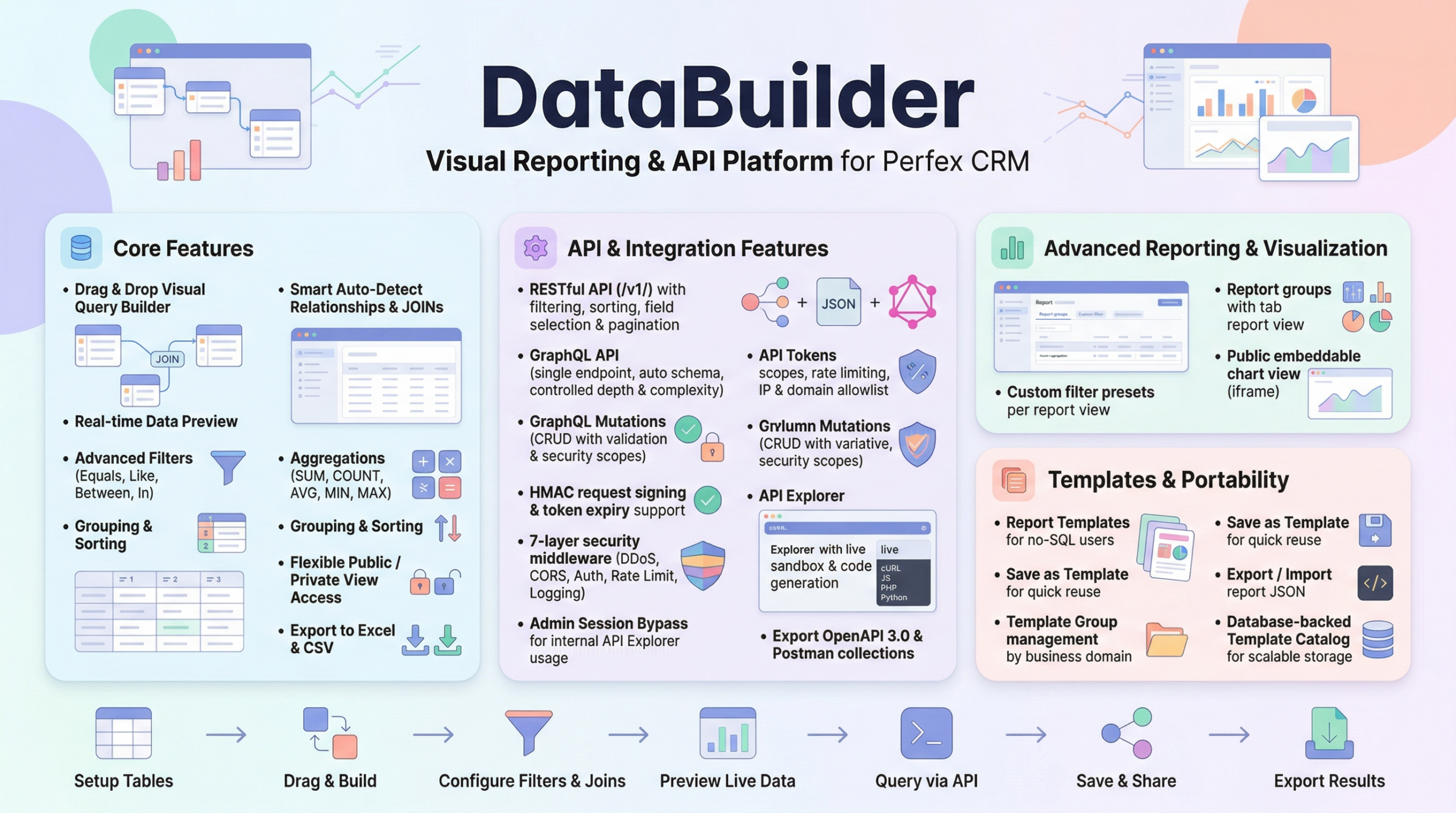
Data Builder for Perfex CRM includes everything automation platforms need to connect, validate, and sync data — out of the box.
1. Auth Test Endpoint — Connection Validation
When you set up a new connection in Zapier, Make.com, or n8n, the first thing the platform does is test your credentials. It sends a lightweight API call to verify the token works.
Data Builder provides a dedicated endpoint for this:
GET /api/v1/auth/test
Authorization: Bearer dba_your_token_here
Response:
{
  "status": true,
  "data": {
    "authenticated": true,
    "token_name": "My Zapier Token",
    "scopes": ["read"],
    "tables_count": 12,
    "server_time": "2026-04-26T10:00:00+07:00"
  }
}
No CRM data exposed. Just token metadata. This is exactly what automation platforms expect during connection setup — a clean handshake that says “yes, this token is valid.”
2. Polling Triggers — Detect New Records
Automation platforms need to know when something new happens. The most reliable method is polling — periodically checking for new or updated records.
Data Builder supports this with the ?since= parameter on all list endpoints:
GET /api/v1/invoices?since=2026-04-25T00:00:00Z
This returns only invoices created or modified after April 25, sorted newest-first.
The system auto-detects timestamp columns in your tables:
dateaddeddatecreateddate_createdlast_updateddatemodifiedupdated_atcreated_at
No configuration needed. If your table has a timestamp column, ?since= just works.
Why newest-first? Automation platforms like Zapier process records in order and use deduplication. Sorting newest-first ensures the platform always sees new records at the top, enabling efficient incremental polling.
3. Outbound Webhooks — Real-Time Push Events
For instant notifications (no polling delay), Data Builder includes outbound webhooks:
- Events:
table.create,table.update,table.delete - HMAC-SHA256 signing: Every webhook payload is signed so the receiver can verify authenticity
- Field Mapping: Choose which fields to include, exclude, or rename in the payload
- Delivery logs: Full audit trail of webhook attempts, responses, and retry status
- Channel Registry: Extensible adapter system for different delivery methods
Configure a webhook URL, select the events you care about, and Data Builder pushes data to your endpoint in real-time.
Setting Up: Step by Step
Zapier Integration
n8n Integration
Make.com (Integromat)
Security Built In
Every automation connection is protected by Data Builder’s security layer:
- Per-token scopes: Create read-only tokens for automation (no accidental writes)
- Table restrictions: Limit which tables the automation token can access
- Rate limiting: Prevent runaway automation from overwhelming your CRM
- IP whitelisting: Lock tokens to specific automation platform IPs
- OWASP headers: Every response includes security headers
- Audit logging: Every API call is logged with token ID, IP, status, and response time
Stop Building Custom Integrations
Every manual integration point between your CRM and another system is:
- Code that needs maintenance
- A potential security hole
- A workflow that breaks when someone changes the API
Data Builder gives you standardized, documented, secured automation endpoints that work with any platform — today and tomorrow.
Stop polling manually. Start reacting automatically.
Leave a Reply