The Desktop Limitation
Perfex CRM is a web application. Your team accesses it from a browser on their computer. But business doesn’t stop at a desk:
- Sales reps need client data in the field
- Project managers check task status from their phone
- Executives want KPI dashboards on their tablet
- Field technicians need to log work from a mobile app
Your CRM data is valuable precisely because it reflects real business activity. But it’s trapped in a desktop interface.
API as the Foundation
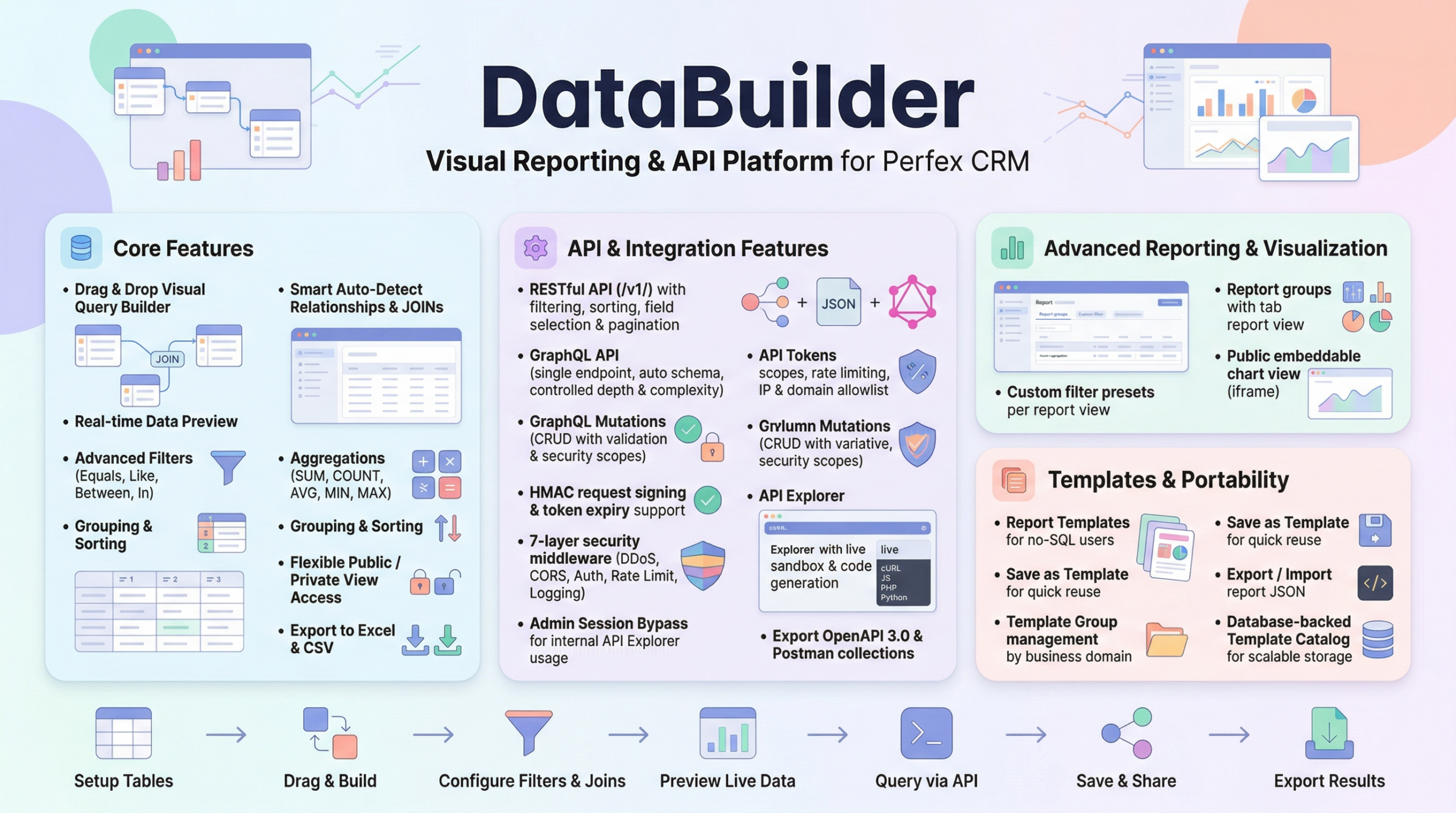
Data Builder transforms your Perfex CRM into a headless data source — every table, every field, every record accessible via standardized REST API endpoints.
This means any application — mobile, desktop, web, or embedded — can read and write CRM data through a consistent, documented API.
For Mobile App Developers
Building an iOS or Android app that needs CRM data? Data Builder provides:
GET /api/v1/clients?fields=userid,company,phonenumber&filter[active]=1
- Sparse fieldsets: Request only the columns your mobile UI needs — save bandwidth
- Filtering: Server-side filtering reduces payload size
- Pagination:
per_page=25with HATEOAS links for infinite scroll - Sorting: Client-side sort control via URL parameters
For SaaS Builders
Building a product that extends Perfex CRM? Use Data Builder’s API as your data layer:
- Full CRUD: Create, read, update, delete records via REST
- GraphQL: Flexible queries for complex SaaS data needs
- Token scoping: Create isolated tokens per SaaS tenant
- Rate limiting: Protect your CRM from SaaS traffic spikes
For Internal Tool Builders
Using Retool, Appsmith, or building custom internal tools?
- OpenAPI 3.0 export: Generate API specs for automatic client SDK generation
- Postman Collection: Import endpoints directly for testing
- Auth test endpoint: Validate connections programmatically
- Public API Docs: Share documentation with your development team at
/api_docs
Connection Validation
Every mobile or external application needs to verify its connection during setup. The auth test endpoint handles this cleanly:
GET /api/v1/auth/test
Authorization: Bearer dba_your_token
Returns token metadata (name, scopes, tables count) without exposing any CRM data. Your app can verify credentials before making any data requests.
Incremental Data Sync
Mobile apps and external systems need efficient data synchronization. Instead of fetching all records every time, use the ?since= parameter:
GET /api/v1/invoices?since=2026-04-25T12:00:00Z
Returns only records created or modified since the last sync. The system auto-detects timestamp columns — no configuration needed.
Security for External Access
Exposing CRM data to external applications demands rigorous security:
- Per-token table restrictions: Mobile app tokens access only the tables they need
- Read-only tokens: Prevent mobile apps from accidentally modifying data
- IP whitelisting: Lock API access to your app server IPs
- OWASP headers: Every response includes security headers
- Rate limiting: Prevent abuse from compromised mobile devices
- HMAC signing: Optional request integrity verification
The Architecture
┌──────────────┐     REST API      ┌──────────────────┐
│  Mobile App  │ ◄──────────────── │                  │
├──────────────┤                   │                  │
│  SaaS App    │ ◄──────────────── │   Data Builder   │
├──────────────┤    GraphQL        │   API Layer      │
│  Internal    │ ◄──────────────── │                  │
│  Tools       │                   │  (Perfex CRM)    │
├──────────────┤    Webhooks       │                  │
│  n8n/Zapier  │ ◄──────────────── │                  │
└──────────────┘                   └──────────────────┘
One data source. Multiple consumers. Consistent security. Documented API.
Connect. Extend. Scale.
Your Perfex CRM contains years of business intelligence. Don’t let it stay locked in a browser tab.
Data Builder gives every application — mobile, SaaS, internal, or automated — secure, documented access to your CRM data.
Connect. Extend. Scale.
Leave a Reply