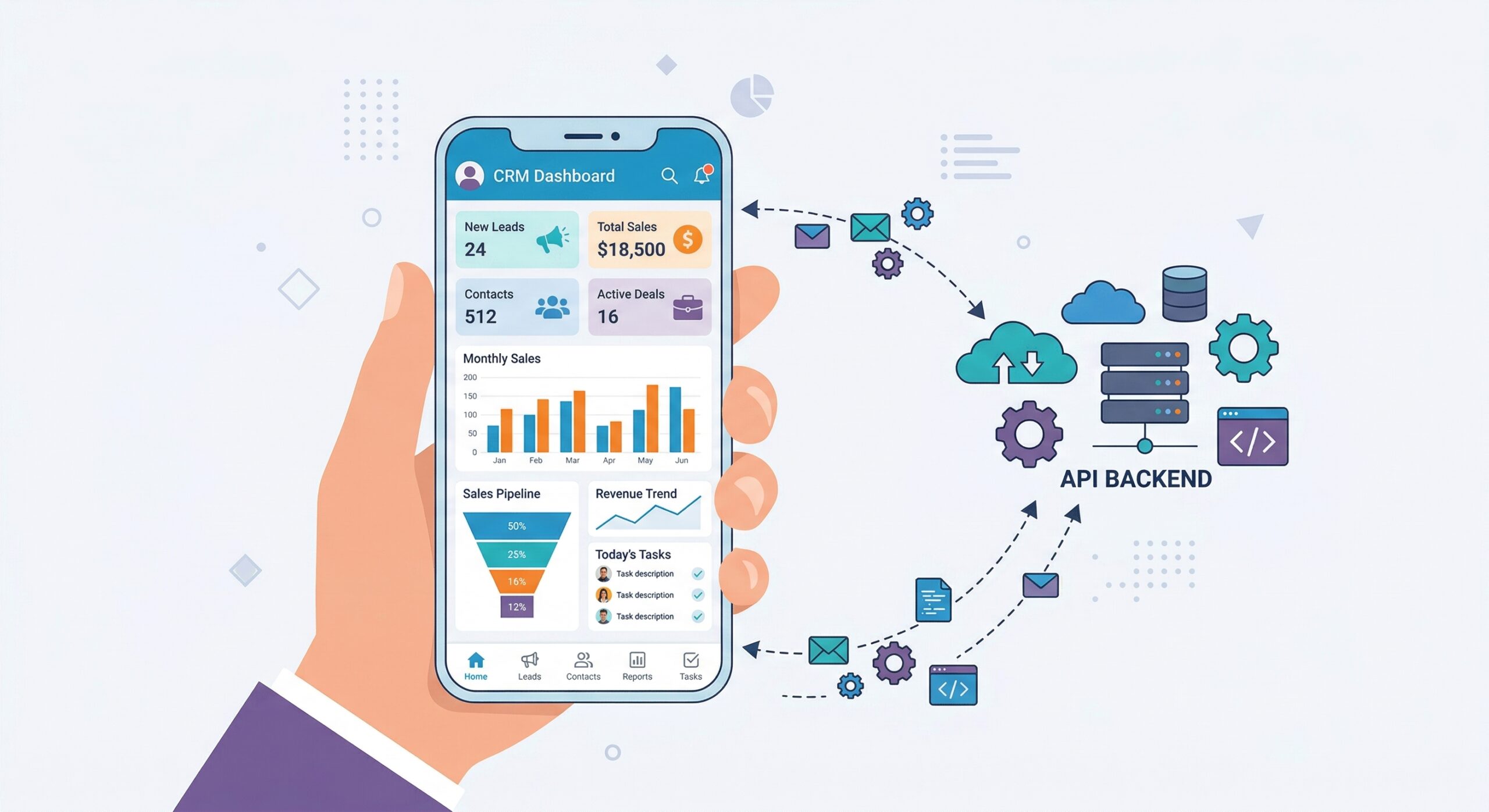
Mobile Architecture with CRM API
A mobile app connected to Perfex CRM needs three things: secure authentication, efficient data transfer, and offline-friendly patterns. Data Builder provides the API layer that makes this possible.
REST API for CRUD Operations
Use REST endpoints for straightforward data operations:
// React Native / Flutter: Fetch projects
const response = await fetch('https://databuilder.polyxgo.com/api/v1/projects?per_page=20&sort=-id', {
  headers: { 'Authorization': 'Bearer YOUR_MOBILE_TOKEN' }
});
const { data, meta } = await response.json();
// data = array of projects, meta = pagination info
GraphQL for Efficient Data Loading
Mobile apps benefit most from GraphQL because it eliminates over-fetching – critical for slow connections:
// Single request: get project with tasks and client
const query = `{
  projects(id: 42) {
    name deadline_date
    tasks { name status priority }
    client { company phonenumber }
  }
}`;
// Instead of 3 separate REST calls
Token Security for Mobile
Create a dedicated API token for your mobile app:
- Read-only scope for data display screens
- Write scope limited to specific tables (e.g., tasks, leads)
- Rate limit appropriate for mobile usage patterns
- Token expiry for periodic rotation
Validate connectivity using the auth test endpoint: GET /api/v1/auth/test
Offline Sync Pattern
Use the ?since= polling parameter for incremental sync:
// Sync only changed records since last app open
const lastSync = await AsyncStorage.getItem('lastSync');
const url = 'https://databuilder.polyxgo.com/api/v1/tasks?since=' + lastSync + '&sort=-id';
// After sync, store new timestamp
Leave a Reply