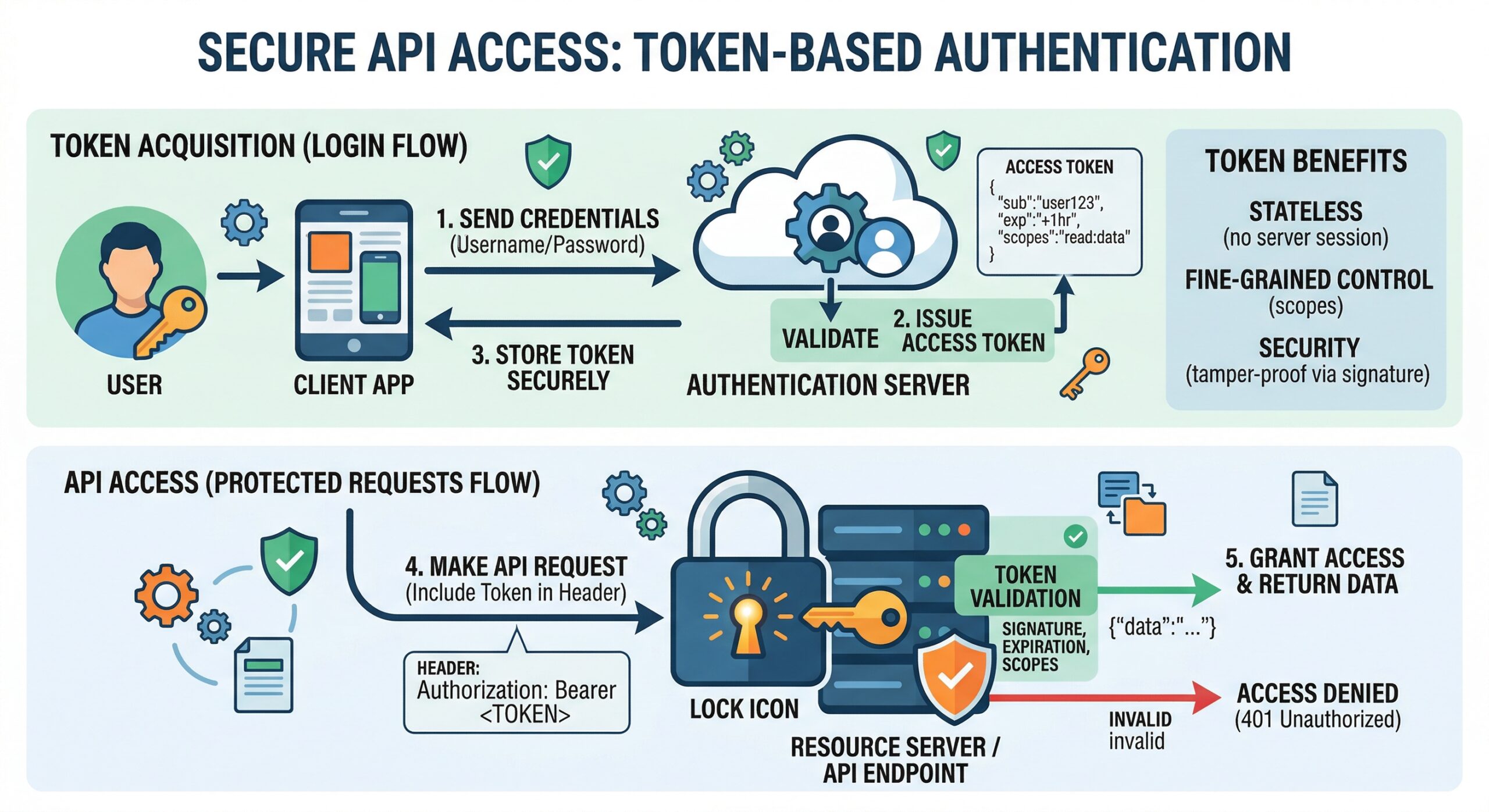
API Security Architecture
Every Data Builder API request passes through a 7-stage security middleware pipeline before reaching your CRM data. Authentication is stage 3, after DDoS protection and CORS validation.
Bearer Token Authentication
All API requests require a valid token in the Authorization header:
Authorization: Bearer dba_51d5xxxxxxxxxxxxxxxxxxxxxxxxxxxxxxxxxxd186Tokens are created in Admin > Data Builder > API Tokens. Each token has:
- Scopes – Which resources the token can access (
tables,views,write) - Table permissions – Per-table CRUD control (read/create/update/delete)
- IP whitelist – CIDR-based IP restrictions
- Domain whitelist – Allowed Origin/Referer domains
- Rate limit – Maximum requests per minute (default: 60)
- Expiration – Optional token expiry date
Auth Test Endpoint
Validate your token without exposing data:
GET https://databuilder.polyxgo.com/api/v1/auth/test
Authorization: Bearer YOUR_TOKEN

Response:
{
  "status": "ok",
  "token_name": "Zapier Integration",
  "scopes": ["tables", "views"],
  "tables_count": 12,
  "server_time": "2026-04-26T12:00:00+07:00"
}
This endpoint is designed for Zapier, Make.com, and n8n connection setup.
HMAC-SHA256 Request Signing
For production security, enable HMAC signing on your token. Every request must include X-Timestamp and X-Signature headers. See the Authentication section in API Documentation for implementation in PHP, JavaScript, and Python.
Admin Session Bypass
Authenticated Perfex admins can use the API Explorer sandbox without a Bearer token. The middleware detects admin sessions and grants access automatically.
Leave a Reply