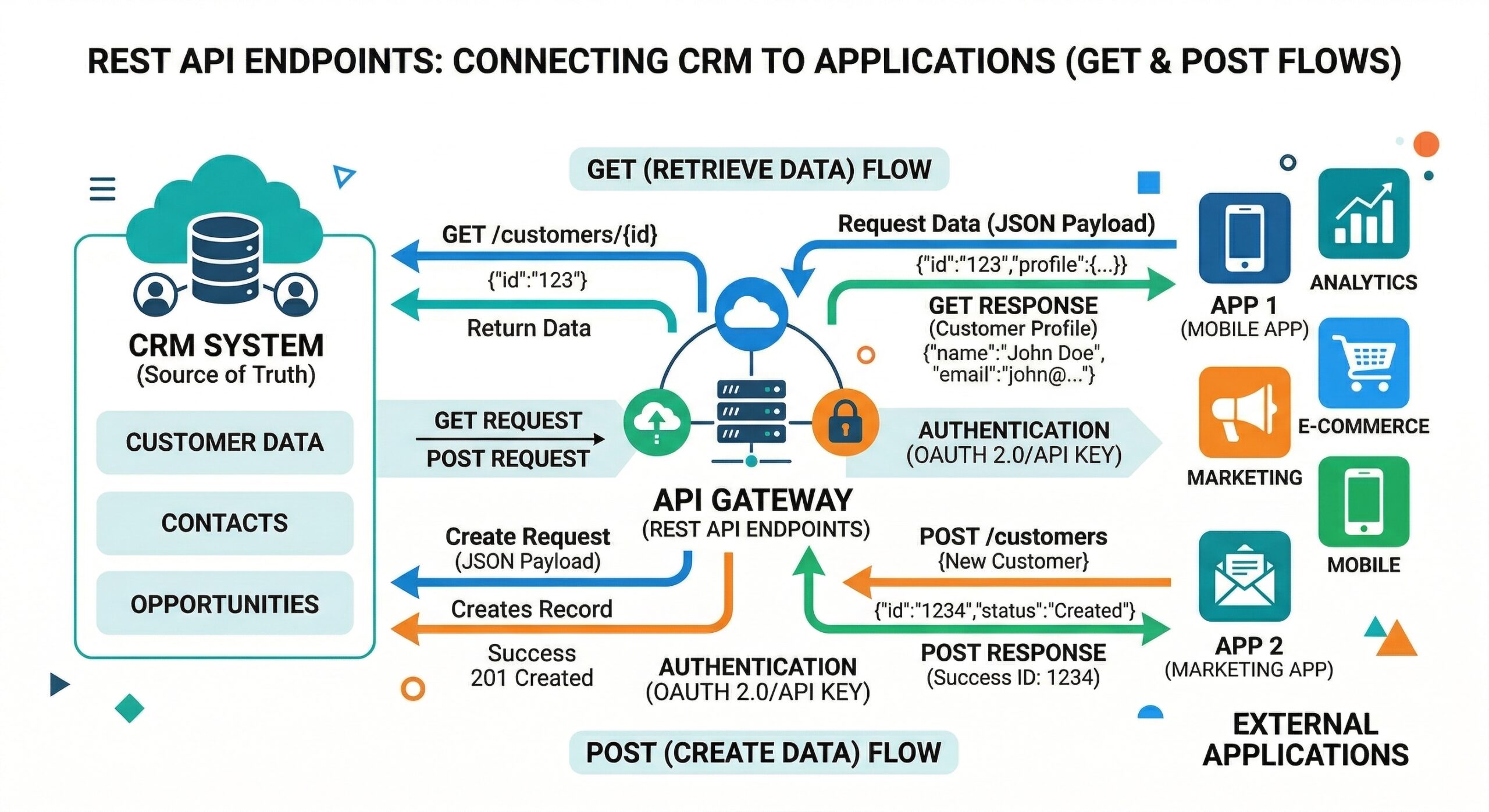
API Base URL
All REST endpoints follow a consistent pattern:
https://databuilder.polyxgo.com/api/v1/{resource}Where {resource} is any whitelisted Perfex CRM table name (e.g., clients, invoices, tasks, projects).
HTTP Methods
| Method | Endpoint | Action |
|---|---|---|
GET | /clients | List records (with filtering and pagination) |
GET | /clients/42 | Get single record by primary key |
GET | /clients/schema | Get table schema (columns, types) |
POST | /clients | Create new record |
PUT | /clients/42 | Update existing record |
DELETE | /clients/42 | Delete record |
GET | /auth/test | Validate token connection |
Example: List Invoices
curl -X GET 'https://databuilder.polyxgo.com/api/v1/invoices?per_page=5&sort=-id&fields=id,total,status,clientid' \
  -H 'Authorization: Bearer YOUR_TOKEN'
Response:
{
  "data": [
    {"id": 150, "total": "1500.00", "status": "2", "clientid": "42"},
    {"id": 149, "total": "750.00", "status": "1", "clientid": "38"}
  ],
  "meta": {"current_page": 1, "per_page": 5, "total": 150},
  "links": {"next": "/api/v1/invoices?page=2&per_page=5"}
}
Query Parameters
See the complete filtering and pagination guide for all supported parameters: sort, fields, filter, page, per_page, and since.
Error Handling
All errors follow the RFC 9457 Problem Details standard. See the Error Reference for status codes and resolution steps.
Try It Live
The API Explorer provides a sandbox where you can test any endpoint and generate code in cURL, JavaScript, PHP, and Python. Export to Postman or OpenAPI 3.0 for your development workflow.
Leave a Reply